> For the complete documentation index, see [llms.txt](https://infinitybot.gitbook.io/infinitybot-docs/llms.txt). Markdown versions of documentation pages are available by appending `.md` to page URLs; this page is available as [Markdown](https://infinitybot.gitbook.io/infinitybot-docs/start-here/our-bots-and-projects.md).
# Our Bots & Projects
We have 3 public bots that you can use to moderate your server. You can view more information on this page
## InfinityBot
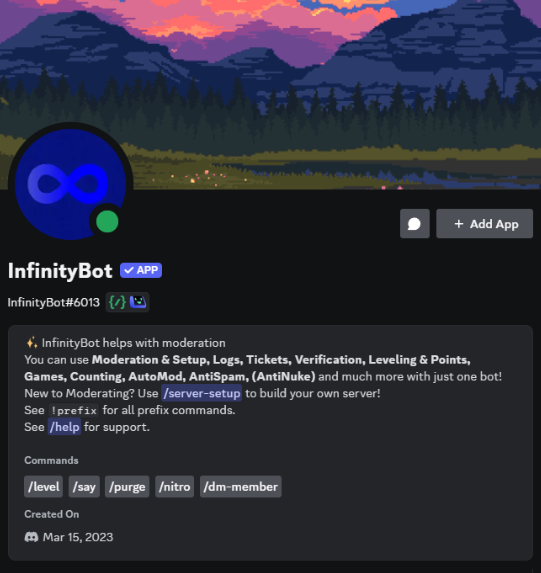
InfinityBot is the normal bot that contains almost all features. From moderation to entertainment, this bot got it all! It is mostly free to use and you can invite it with [this link](https://discord.com/oauth2/authorize?client_id=1085541861692813332).
### AutoMod Dashboard
Do you also think the Discord AutoMod setting page looks confusing? We've got your back! With the new [InfinityBot AutoMod Manager Dashboard](https://infinitybot.uk) you can create, edit, delete and manage your server's AutoMod system and settings on a level never seen before. Wanna learn more? Check out the [Dashboard AutoMod page](/infinitybot-docs/automatic-moderation/automod-dashboard-manager.md)!
### InfinityBot Game Hub
The InfinityBot Game Hub can be used to play fun arcade-like games, like PacMan, Flappy Bird, Traffic Run, en maybe even more! You can access the Game Hub with the `/play game-hub` command. You can find more information [here](/infinitybot-docs/games/game-hub.md).
{% hint style="info" %}
The Game Hub is currently only supported for PC players.
{% endhint %}
## InfinityBot Anti Nuke
The InfinityBot Anti Nuke bot protects your server from nuke, raid and spam attacks. It has some very useful moderation tools and you can have your server fully protected within 5 minutes with this bot.
You can read more about it's features on [the Anti Nuke page](/infinitybot-docs/moderation/anti-nuke.md). You can invite the bot [here](https://discord.com/oauth2/authorize?client_id=1073182687323500556) to get protected today!
## 💎InfinityBot Premium
{% hint style="info" icon="gem" %}
The Premium bot requires a [premium subscription](/infinitybot-docs/basics/premium.md) on your server.
{% endhint %}
The InfinityBot Premium bot is the bot that contains most of our [premium](/infinitybot-docs/basics/premium.md) features. If you have a premium subscription, you can invite the premium bot with [this link](https://discord.com/oauth2/authorize?client_id=1102331847339413555). In this documentation, you can recognize premium features on the 💎 diamond in the page description.